
Justified Text vs Ragged Right: Which Should Authors Use?

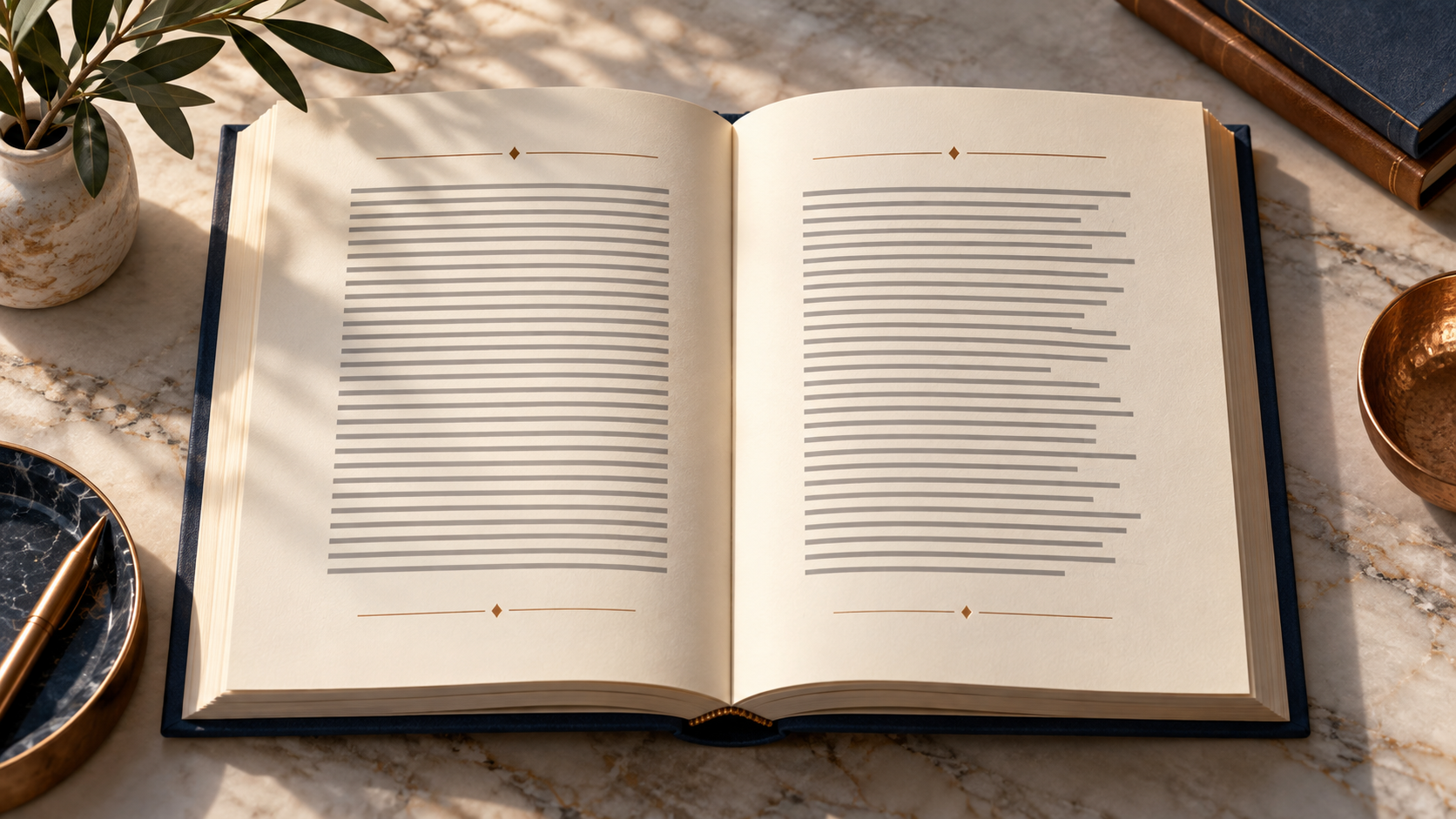
Book interiors often look calm only because hundreds of small spacing decisions have already been resolved. Text alignment is one of the most visible. Fully justified text creates straight edges on both sides of a column. Ragged-right text keeps the left edge aligned while allowing each line to end naturally on the right.
Neither treatment is automatically professional or amateur. Justification can create the familiar texture of many printed novels and nonfiction books, but it depends on good typesetting. Ragged right protects natural word spacing and can be easier to manage, though a poorly shaped rag can look distracting. Authors should judge the whole reading system: trim size, typeface, line length, hyphenation, language, audience, and format.
The short answer
Choose justified text when an experienced formatter can control line length, hyphenation, word spacing, and page composition. Choose ragged right when consistent word spacing and flexible reading conditions matter more than a squared right edge, especially in reflowable digital formats.
The final decision should be tested in actual pages. Alignment cannot rescue a typeface that is too small, a line that is too long, or leading that is too tight. It also should not be copied from another book without considering different words, dimensions, and readers.
What fully justified text does
Justification adjusts the space between words, and sometimes other typographic variables, so every full line reaches both margins. The page gains a rectangular text block that can feel orderly and traditional. In a well-composed print book, that even shape can support consistent margins, running heads, and page furniture.
The risk is uneven spacing. A narrow measure, long words, limited hyphenation, or weak composition settings can stretch some lines while compressing others. Repeated gaps may align vertically and form distracting paths of white space. Very loose lines can also make word groups feel disconnected.
Good justification is therefore not a button; it is a system. Typeface width, font size, tracking limits, hyphenation rules, paragraph settings, and manual review all affect the result. A formatter may revise wording or adjust a page locally, but broad text distortion should not be used to force a neat edge.
What ragged-right text does
Ragged-right composition preserves a more consistent space between words because the right boundary is allowed to vary. Readers receive a clear left starting point for each line and natural endings on the other side. This can reduce the spacing problems that appear when a narrow column is forced into full justification.
A good rag has rhythm. Line lengths vary without producing obvious shapes, repeated stair steps, or a single short word stranded between long lines. Automatic composition may be acceptable for many projects, but important print pages still deserve review.
Ragged right is common in digital reading because reflowable text changes with device width and reader preferences. An author generally should not try to impose print-like edge alignment on every screen. The reading system and the reader need room to recompose the text.
Readability and accessibility considerations
The World Wide Web Consortium's accessibility guidance explains that fully justified blocks can create uneven word spacing and vertical rivers that make reading harder for some people with cognitive disabilities. Its technique for aligning text on one side is aimed at web content rather than prescribing every print-book design, but the underlying spacing concern is relevant when authors evaluate digital pages.
Print and web are not identical environments. A carefully typeset printed page has fixed dimensions and can use sophisticated hyphenation and composition. A responsive webpage or reflowable ebook must work across widths and user settings. Authors should avoid turning web guidance into a blanket claim that every justified print page is inaccessible, while still taking the documented reading difficulty seriously.
Accessible design also depends on contrast, type size, line length, leading, paragraph distinction, and the ability to resize or reflow digital text. Alignment is one part of a larger experience.
How line length changes the result
Justification becomes harder when lines are short because there are fewer word spaces available to absorb adjustment. A narrow trim size, wide margins, large type, or multi-column layout can make stretched spacing more visible. Longer measures offer more opportunities to distribute adjustment, but lines that are too long can make it difficult for readers to find the next line.
Ragged right also reacts to measure. A very narrow column can produce an exaggerated edge with frequent short lines. A very wide column may create long eye movements regardless of alignment. Test the average number of characters, the typeface's proportions, and the intended reading distance rather than relying on one universal measurement.
Hyphenation is part of the decision
Hyphenation gives justified text more acceptable break points, reducing the need for extreme word spacing. Too little hyphenation can produce loose lines; too much can interrupt reading and make pages look mechanical. Consecutive hyphens, short fragments, proper names, and misleading breaks need attention.
Ragged-right text can be set with or without hyphenation. Turning it off may create a cleaner surface, but long words can produce a rougher rag or overflow in narrow measures. Language-aware dictionaries and human proofreading matter because automatic systems do not understand every name, technical term, or context.
Fiction, nonfiction, and special pages
Many trade novels use justified body text because a dense, even text block suits continuous reading and established print conventions. That is a convention, not a requirement. Literary works with unusual structure, short fragments, or extensive dialogue may benefit from a different treatment.
Nonfiction varies more. Narrative chapters may use justified text, while instructional books, workbooks, or highly sectional pages may use ragged right to accommodate headings, lists, callouts, tables, and short paragraphs. Captions, sidebars, pull quotes, and bibliographies do not need to copy the main body alignment.
Front matter and chapter-opening pages should still feel related to the interior. Mixing alignments can work when it communicates hierarchy, but arbitrary switching makes the design look unresolved.
Print versus ebook
For print, alignment is evaluated on the exact trim size with the final font and margins. Review complete spreads, not isolated screenshots, because a single line may look acceptable while a sequence of pages reveals spacing patterns. Check both ordinary paragraphs and difficult passages with long words, italics, numbers, or links.
For a reflowable ebook, semantic structure and reader control take priority. A customer may change font, size, margins, line spacing, orientation, or device. The safest design avoids hard-coded spacing tricks, manual line breaks, and repeated nonbreaking spaces used to imitate a fixed page.
Fixed-layout ebooks preserve geometry more closely but require careful suitability and accessibility review. They should not be selected merely to lock a preferred right edge.
A practical proofing checklist
Print several representative pages at actual size. Look for rivers, unusually loose or tight lines, repeated hyphens, awkward short last lines, and obvious shapes in the rag. Read the pages rather than inspecting them only as graphics; visual neatness is not the same as comfortable reading.
Test difficult content: long headings, block quotations, dialogue, URLs, citations, numbered material, and words from other languages. Inspect chapter openings and the final pages of chapters, where limited text can expose composition problems.
For digital files, change the display width and text size. Confirm that paragraphs reflow without horizontal scrolling, clipped words, or manual breaks. If alignment rules survive only at one setting, they are too fragile.
How to choose confidently
Use justified text when the book's genre and visual system benefit from an even block, the line measure is suitable, and the production workflow includes real typographic control. Use ragged right when stable word spacing, responsive text, or the audience's reading needs make a flexible edge more appropriate.
If the choice remains unclear, prepare the same representative pages both ways. Remove labels, compare them at reading distance, and ask which version supports sustained reading with fewer distractions. The best answer is the one demonstrated by the pages, not the one that sounds more traditional.
Build an interior that serves the reader
Frequently asked questions
Is justified text more professional than ragged-right text?
No. Either can look professional when it suits the format and is composed carefully. Poor spacing or a chaotic rag can weaken either choice.
Why does justified text create large gaps?
The software expands available spaces to reach both margins. Narrow lines, long words, and limited hyphenation can make those gaps more obvious.
Is ragged-right text easier to read?
It often preserves steadier word spacing, which can help readers, but readability also depends on type size, line length, leading, and audience.
Should novels always use justified text?
No. Justification is common in trade fiction, but the book's typography, structure, audience, and production quality should determine the choice.
Should reflowable ebooks use full justification?
Reader settings and platforms may control alignment. Authors should prioritize clean reflow and avoid manual spacing or line breaks that force a print layout.
Does justified text require hyphenation?
It often benefits from well-controlled hyphenation because extra break points reduce extreme spacing, but the rules and resulting pages still need review.
Can one book use both alignments?
Yes. Body text, captions, sidebars, lists, and special sections may use different alignments when the distinction is intentional and consistent.
How should authors compare alignment options?
Set representative pages both ways at final trim size, print them, read them, and inspect spacing, line endings, hyphens, and difficult passages.
Comments